YOUR TENNIS, ON iPHONE
FOLLOW YOUR
FAVOURITE
PLAYERS.
The players you came for, in one place. Follow them in TNS and come back to your own corner of the tennis season.
TNS for iPhone is preparing for launch.
MAKE IT
YOUR MATCHDAY.
Start with one player. Add the tournaments and matches that matter to you.
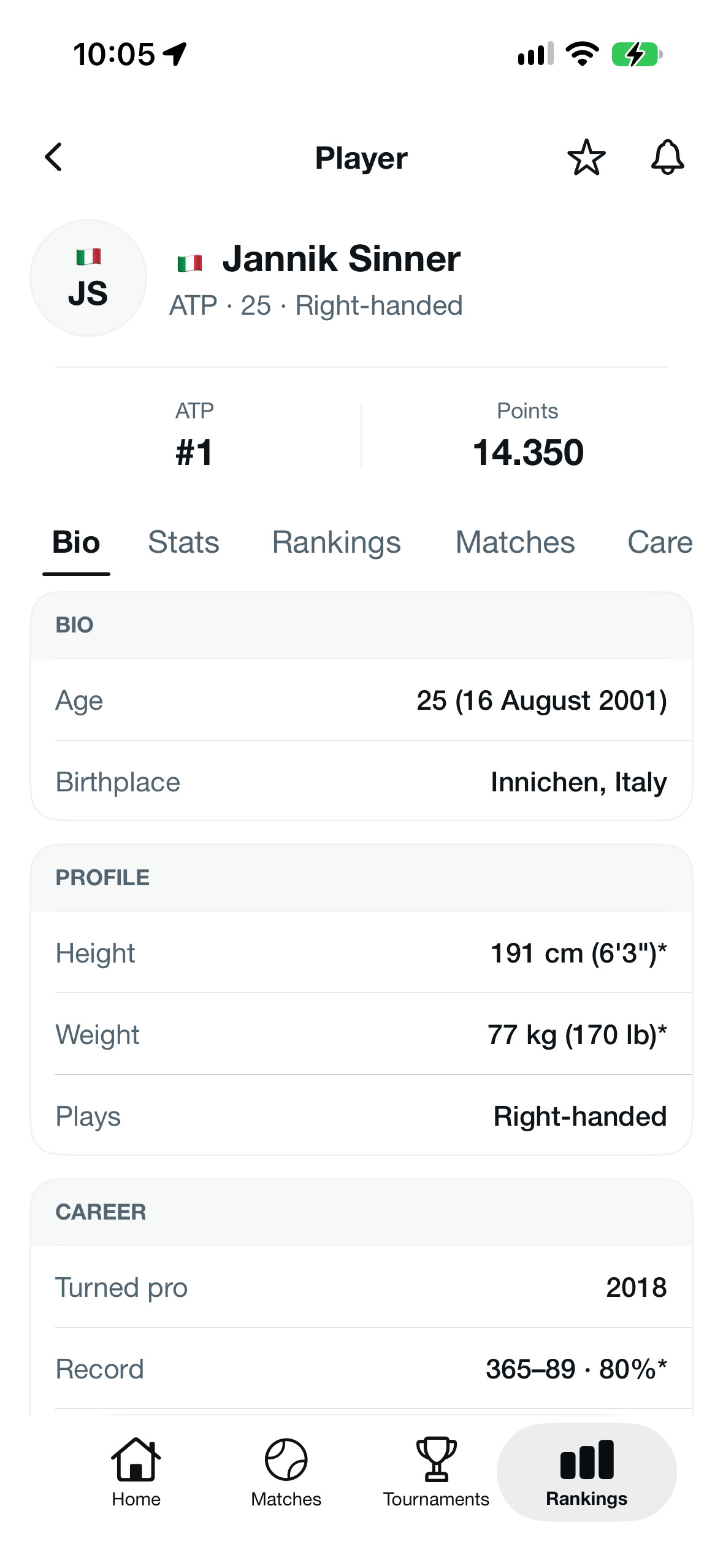
Open a player’s profile.
Choose a player in the app to see their profile and available match information.
Tap the heart to follow.
The heart adds the player to your following list. Tap it again when you want to unfollow.
Find your Following list.
Open Profile, then Following under My tennis to find the players, tournaments and matches you follow.
A HEART TO FOLLOW.
A BELL FOR ALERTS.
Following keeps a player in your list. It does not turn on notifications. Use the separate bell control to manage alerts.
A FEW
ANSWERS.
Where do I find the players I follow?
Open Profile, then Following under My tennis. Your followed players are there alongside the tournaments and matches you have chosen to follow.
Does following a player turn on notifications?
No. The heart is for following. Alerts have a separate bell control, so you can keep a player in your list without enabling notifications.
Can I follow a match or a tournament too?
Yes. Following supports players, tournaments and individual matches. Open Profile, then Following under My tennis to find them together.
Will every player have the same match information?
Available information varies by player and tournament. Scores may be delayed or corrected, and scheduled match times can change. If something looks wrong, contact app support.